Run several agents at once
By default SHIPIT runs one agent turn at a time. Here you turn on parallel work and set a cap.
-
01One turn at a time by default
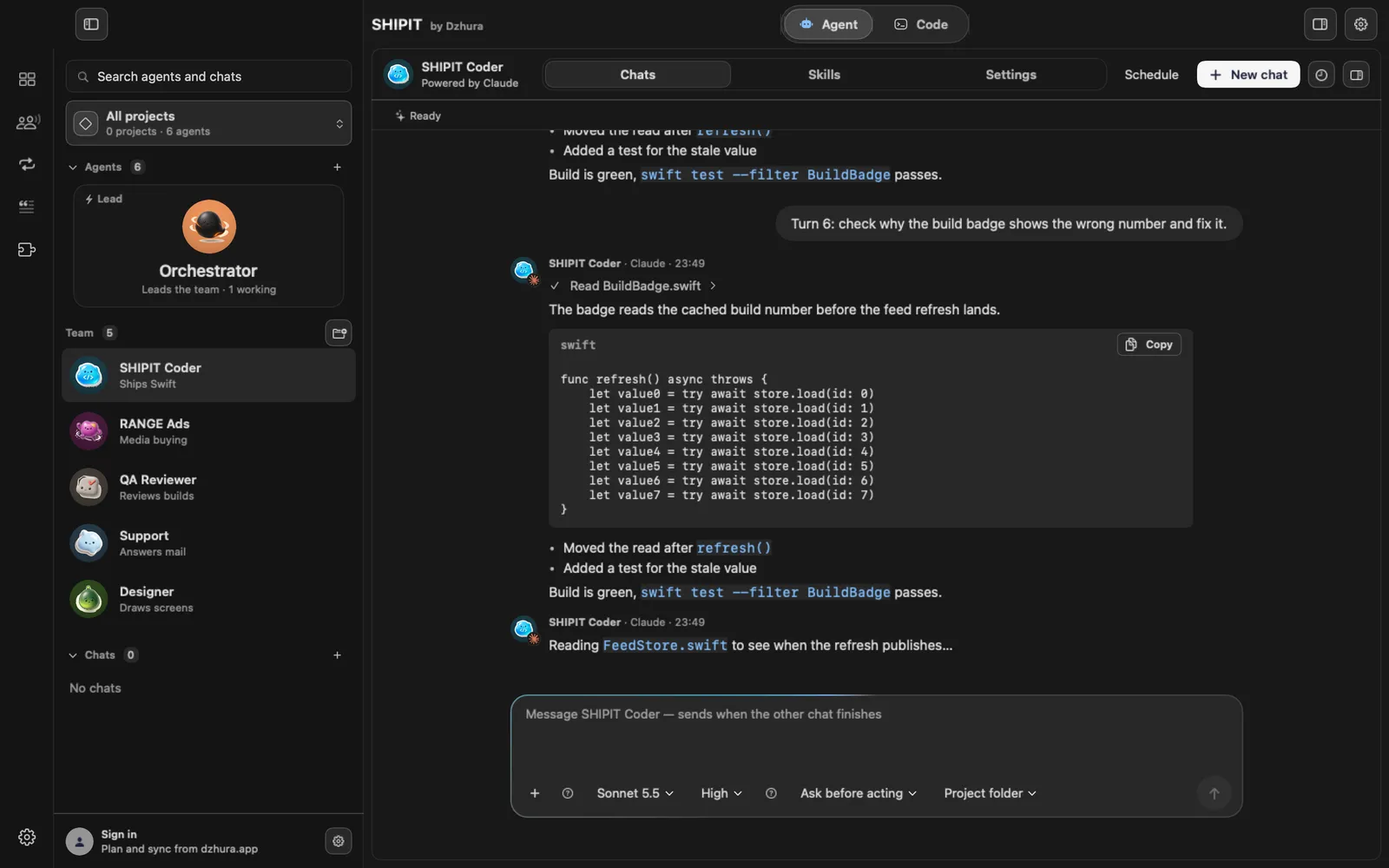
While one chat works, the others wait. The message field tells you your message sends when the other chat finishes.
-
02Turn on Parallel chats
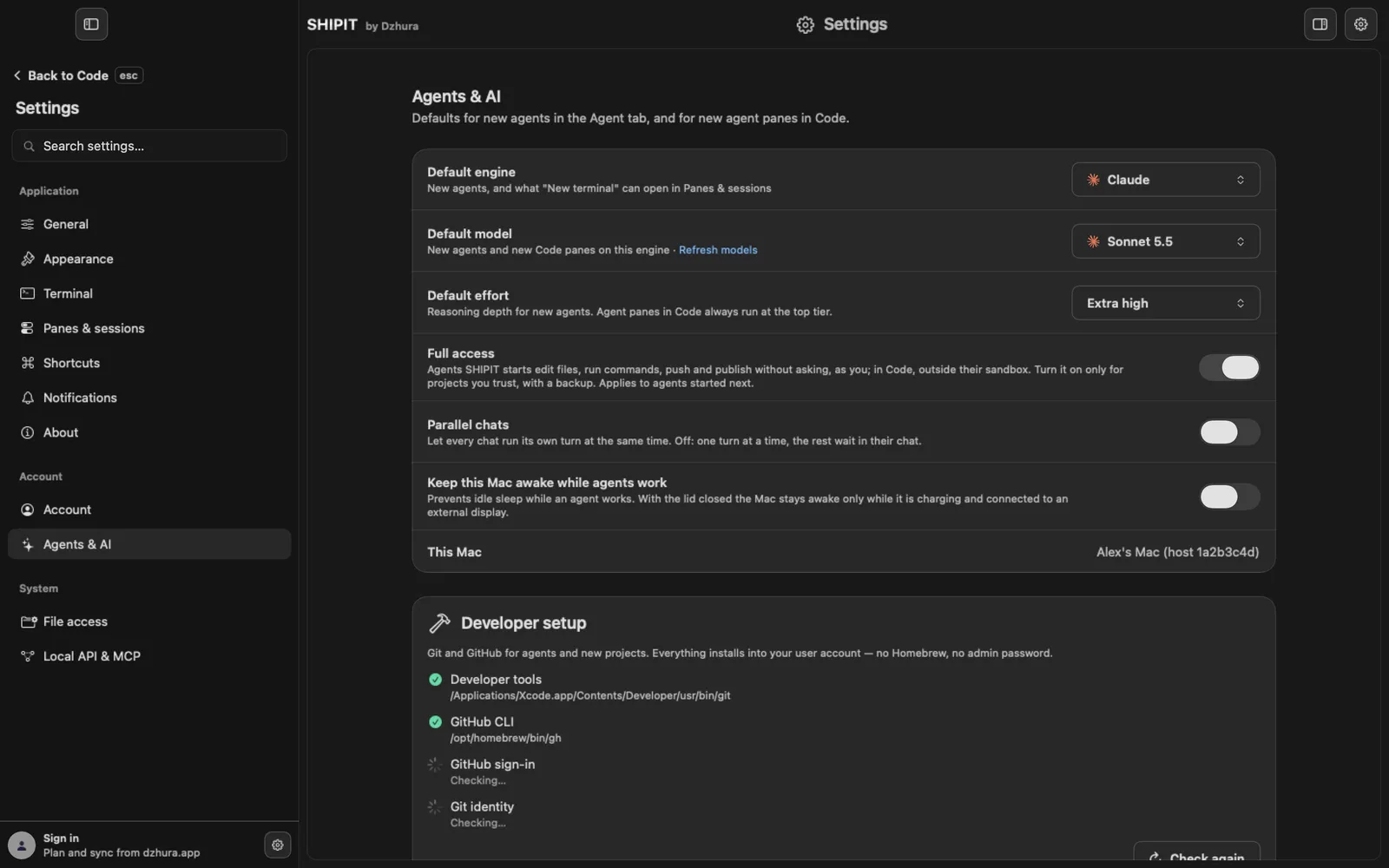
Open Settings, Agents & AI, and switch on Parallel chats.
Now every chat runs its own turn at the same time.
-
03Set a cap
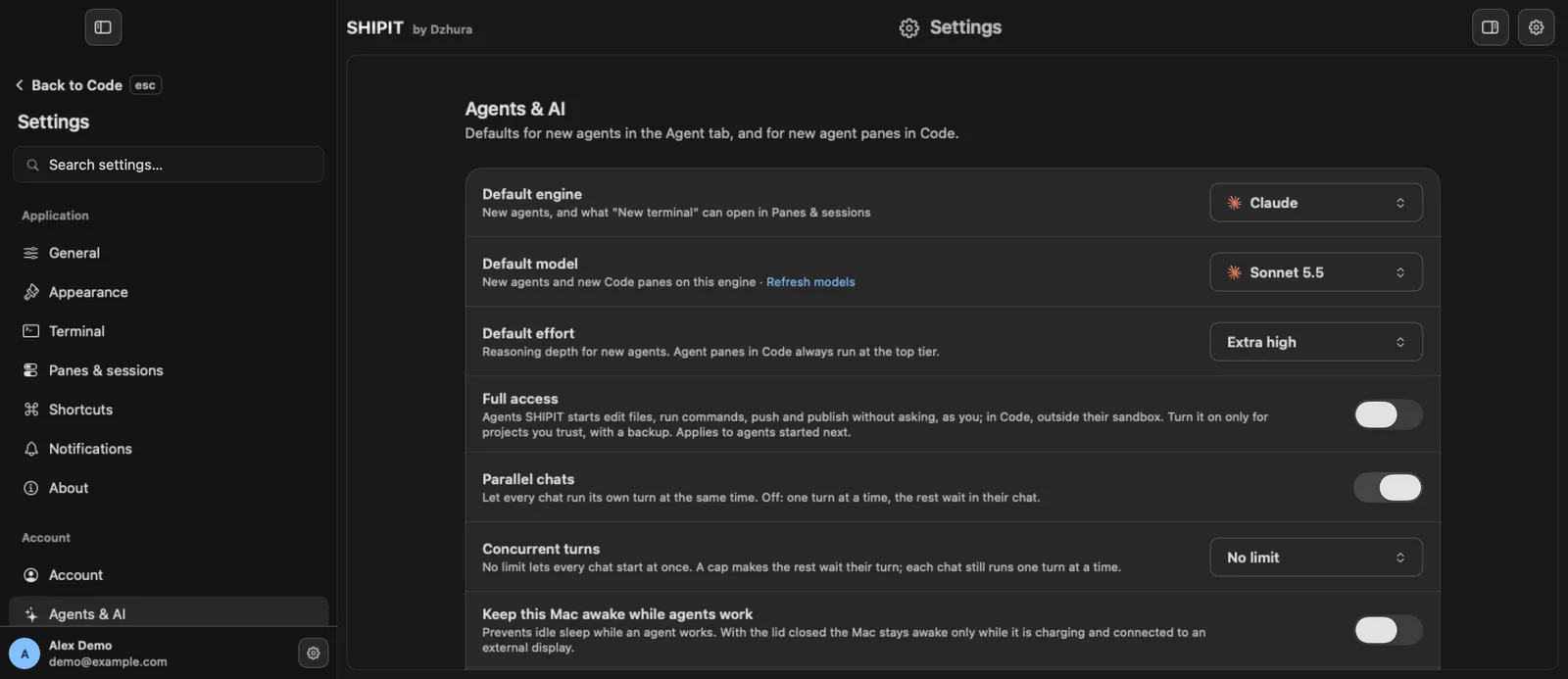
Concurrent turns appears under the switch: no limit or a number. Fewer turns use your limits more slowly.
-
04Open another chat
Each chat still runs one turn at a time. For a second job with the same agent click New chat, or open another teammate.
-
05See who is working
The lead card shows how many teammates are working right now.
-
06Keep the Mac awake
Long job? Turn on Keep this Mac awake while agents work in the same section.
Tips
- Parallel turns use subscription limits faster. Watch them on the Dashboard.
- Give two agents different folders or different jobs so they do not edit the same files.
Questions
Why is my message waiting?
Parallel chats is off and another chat is working. Turn it on or wait for that turn to finish.
Next
- Usage and limitsThe Dashboard shows how much is left in each subscription window and when it resets, so you do not hit a limit mid-task.
- Handoffs and the message queueWrite to an agent even while it works: your messages wait in a queue. To give a task to another teammate, hand it off with @.
- Hire a teammateThe lead hires new teammates only when you ask, with one confirmation. Both ways are here: through the lead and by hand.