Hire a teammate
The lead hires new teammates only when you ask, with one confirmation. Both ways are here: through the lead and by hand.
-
01Pick a lead
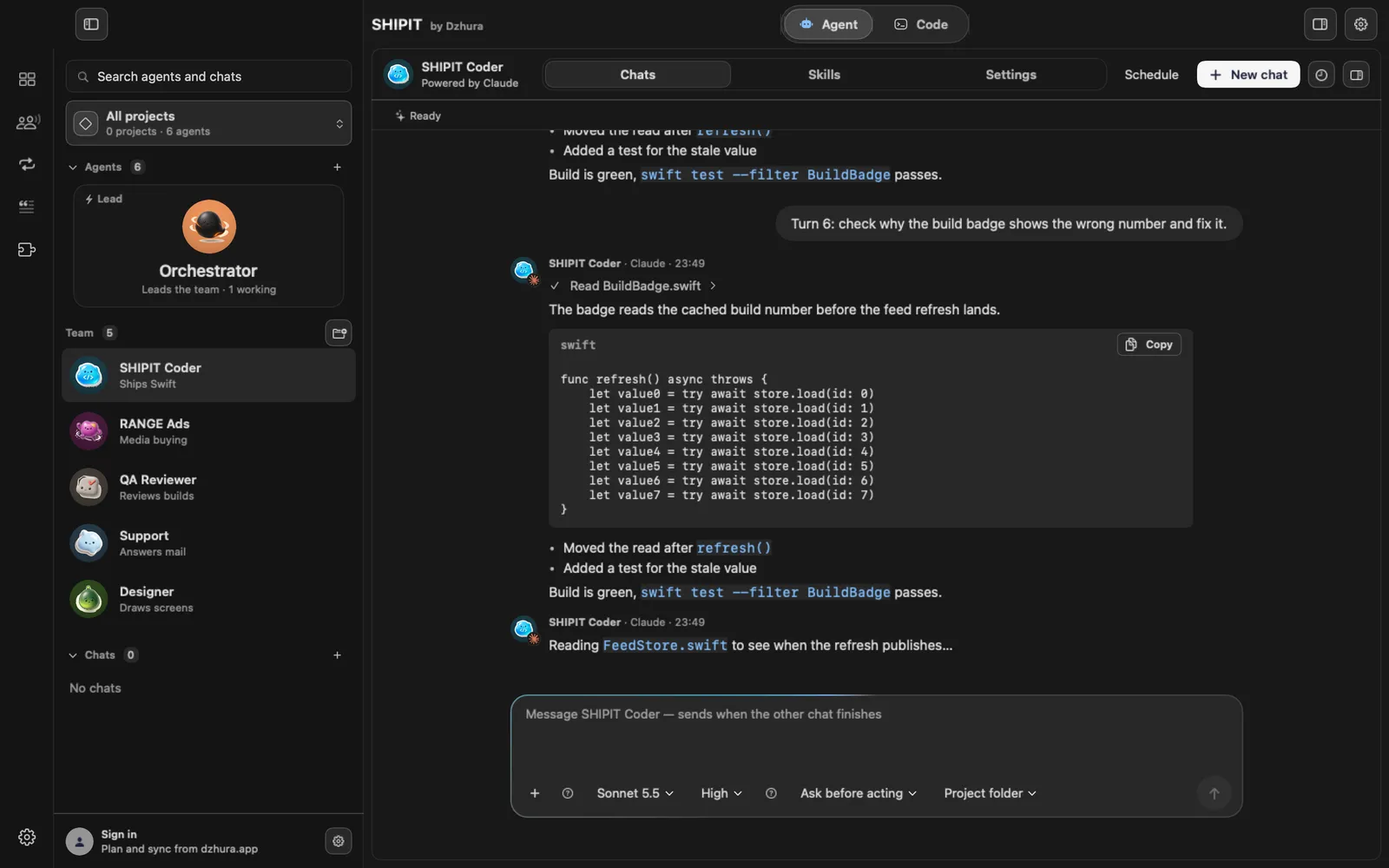
Right-click a teammate in the team list and choose Set as lead. It now sits in the lead card at the top.
To undo, use the lead card's menu: Remove lead role.
-
02Ask for a hire
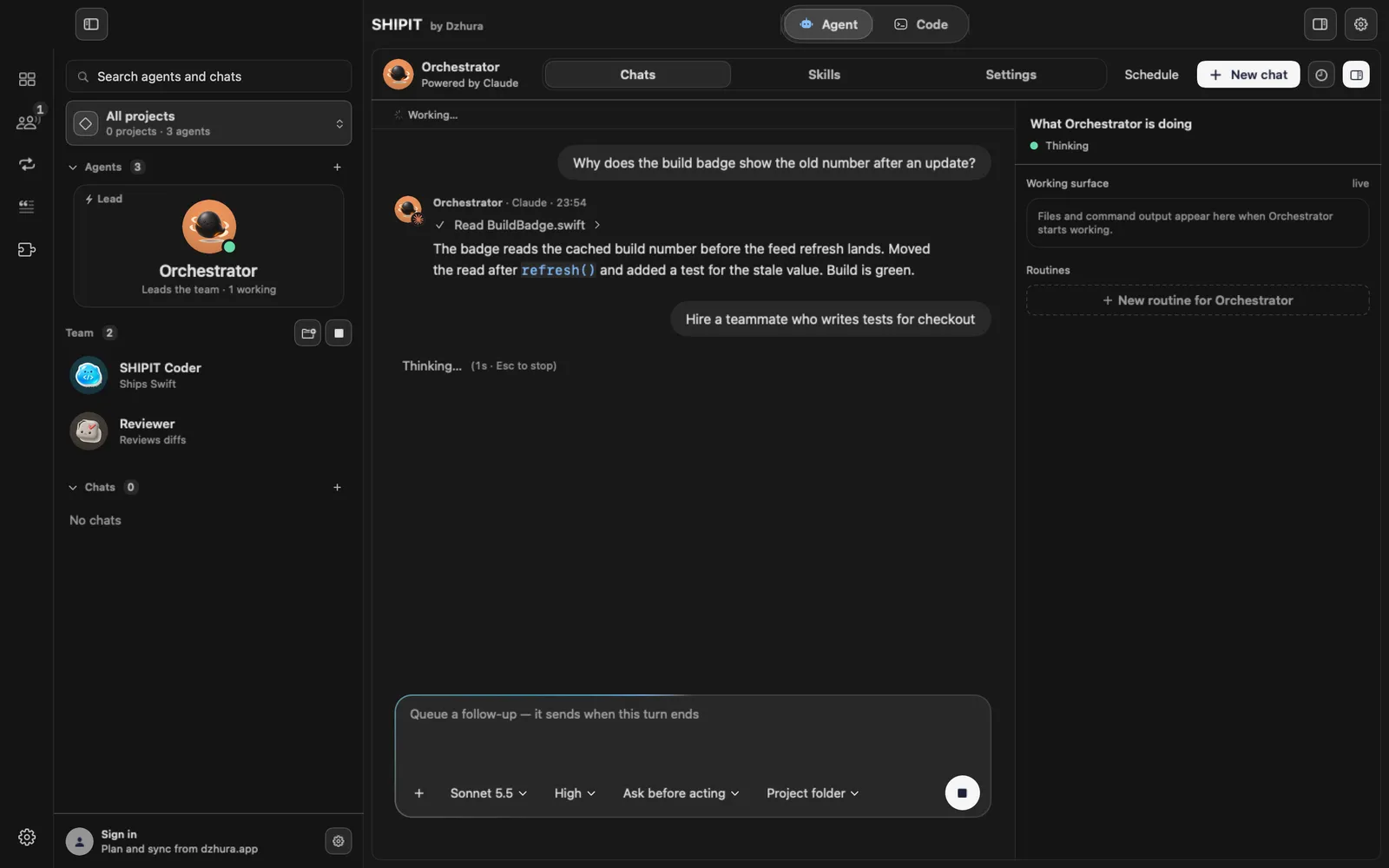
In the lead's chat, say it in your own words: Hire a teammate who writes tests for checkout.
The lead hires only when you ask. Handoffs, reports and routines never start a hire.
-
03Confirm once
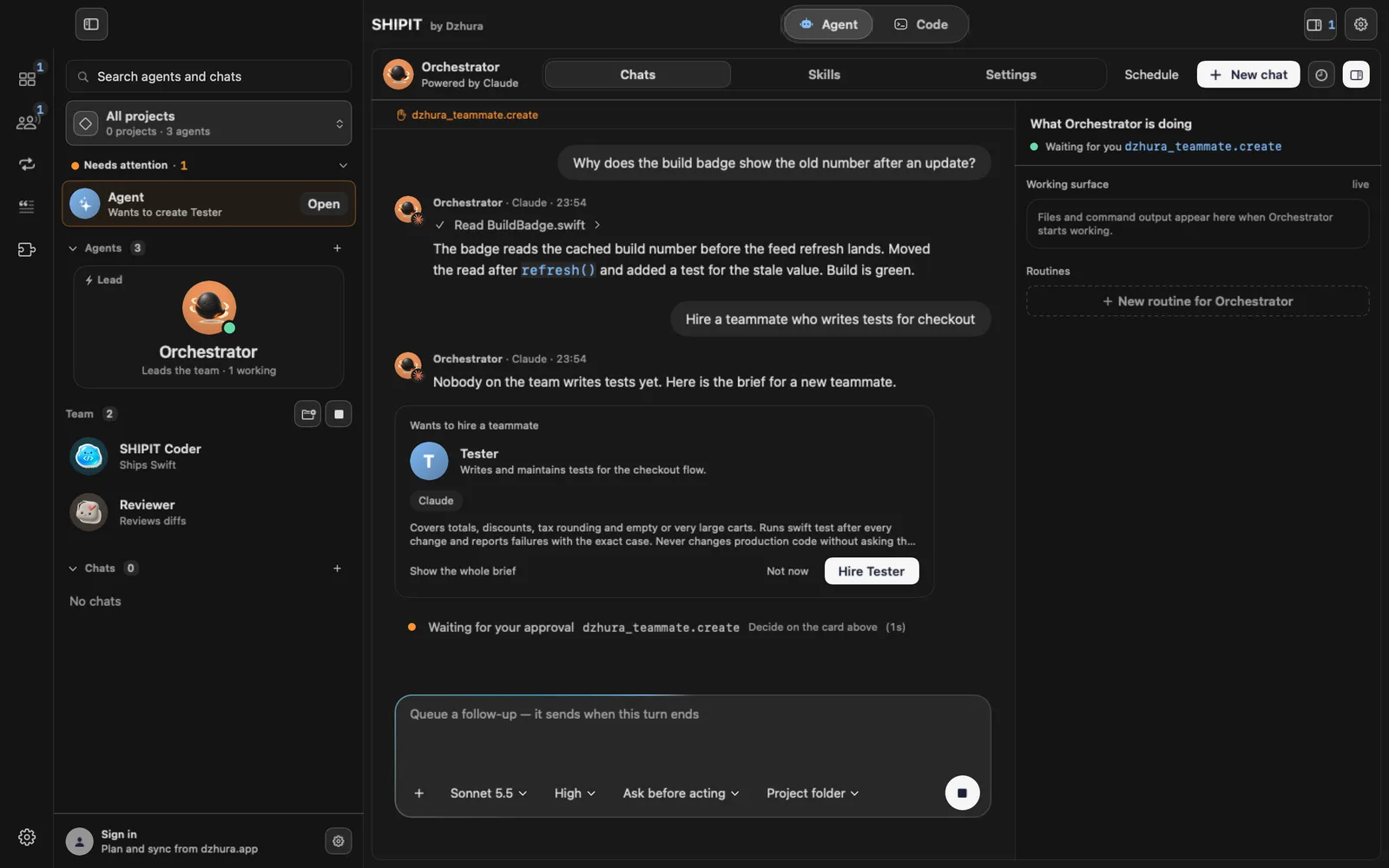
The lead shows a card, Wants to hire a teammate, with a short brief and Show the whole brief. Click Hire with the role name, or Not now.
This is the only confirmation for the hire. If you restart SHIPIT before confirming, ask again.
-
04Find the new teammate
The new teammate appears in the team list. Click it to open its chats.
-
05Or create a teammate yourself
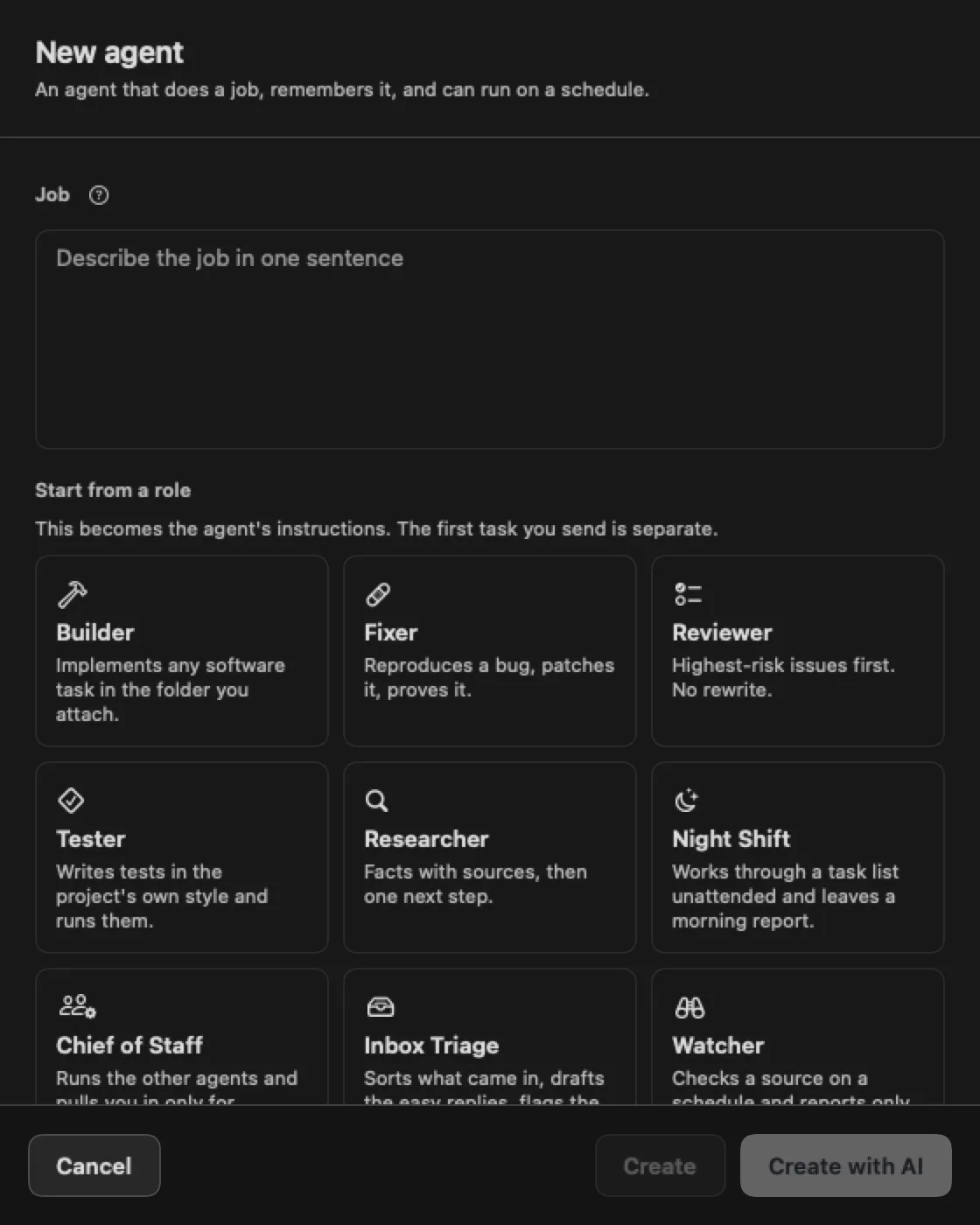
You can do it without a lead: New agent, a sentence in Job, a role, Create. The same as in your first task.
-
06Tune its instructions
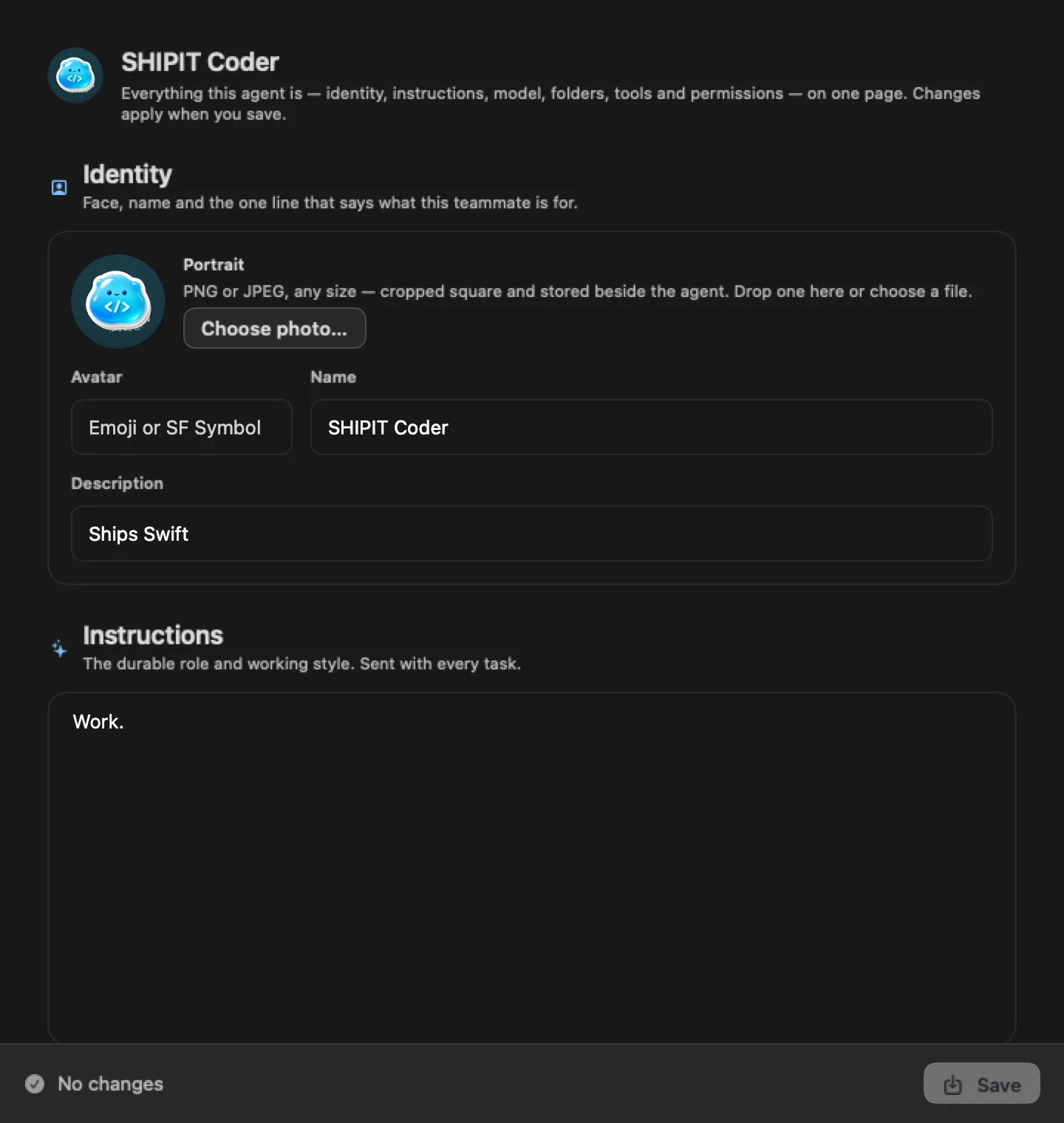
Open the teammate's Settings tab. Identity, instructions, model, folders, tools and permissions are on one page.
Changes apply when you click Save.
Tips
- A lead asks once per role in a project. Settings lists them under Roles allowed to be created. Remove one to be asked again.
- Give a teammate one clear job, not "help with everything".
Questions
Can the lead hire someone on its own?
No. Only after you ask in the message field and confirm on the card.
Next
- Run several agents at onceBy default SHIPIT runs one agent turn at a time. Here you turn on parallel work and set a cap.
- Handoffs and the message queueWrite to an agent even while it works: your messages wait in a queue. To give a task to another teammate, hand it off with @.
- The Agent tab at a glanceIn three minutes you will know how the Agent tab is laid out: who is on the team, where the chats are and where to type a task.