Handoffs and the message queue
Write to an agent even while it works: your messages wait in a queue. To give a task to another teammate, hand it off with @.
-
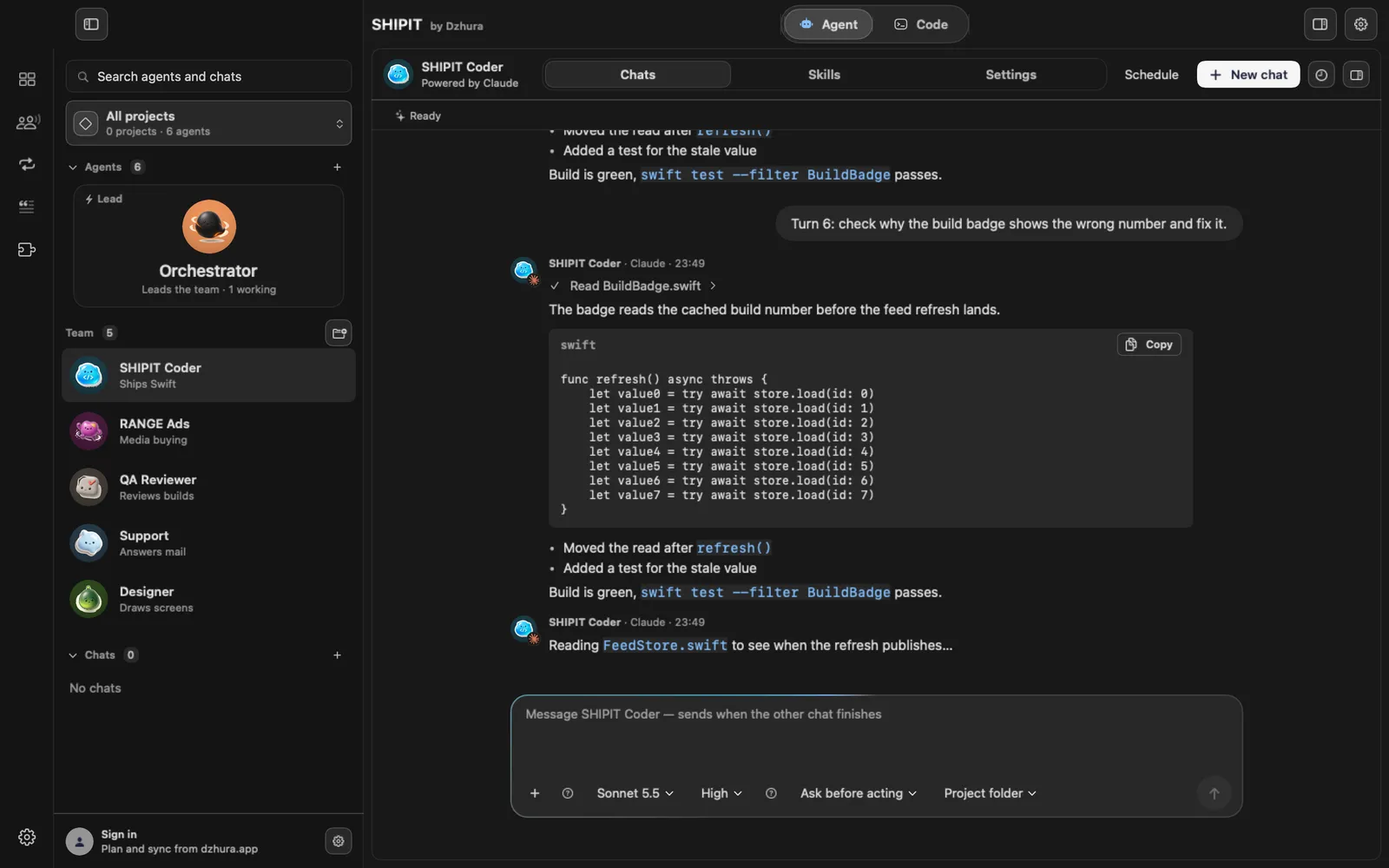
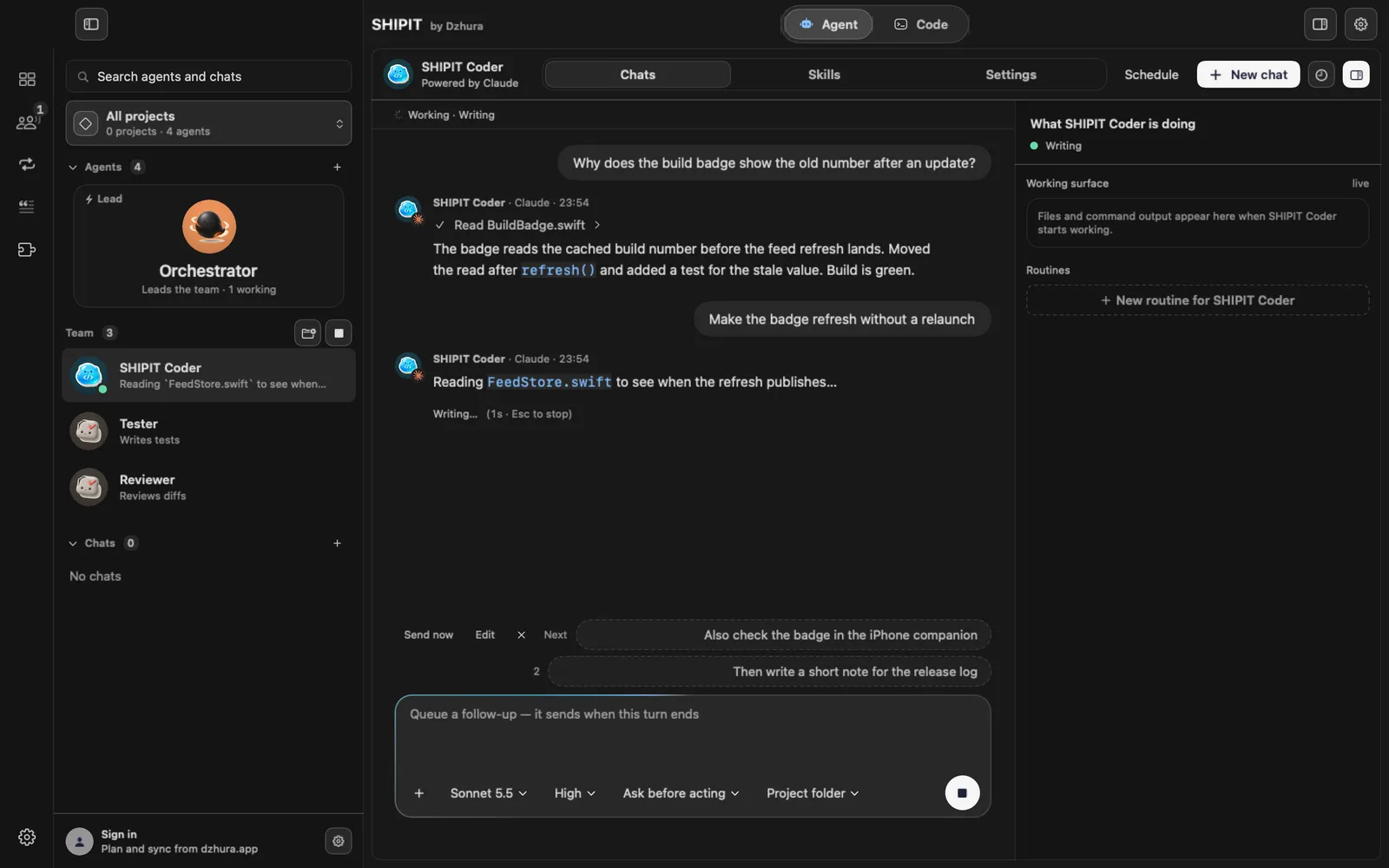
01Write while the agent works
A message you send during a turn goes into a queue under the field. The first one is tagged Next: it Sends after the current turn.
-
02Manage the queue
Hover a queued message: Send now (when the agent allows it), Edit and the cross for Remove from queue.
Right-click for Move earlier or Move later.
-
03Hand off with @
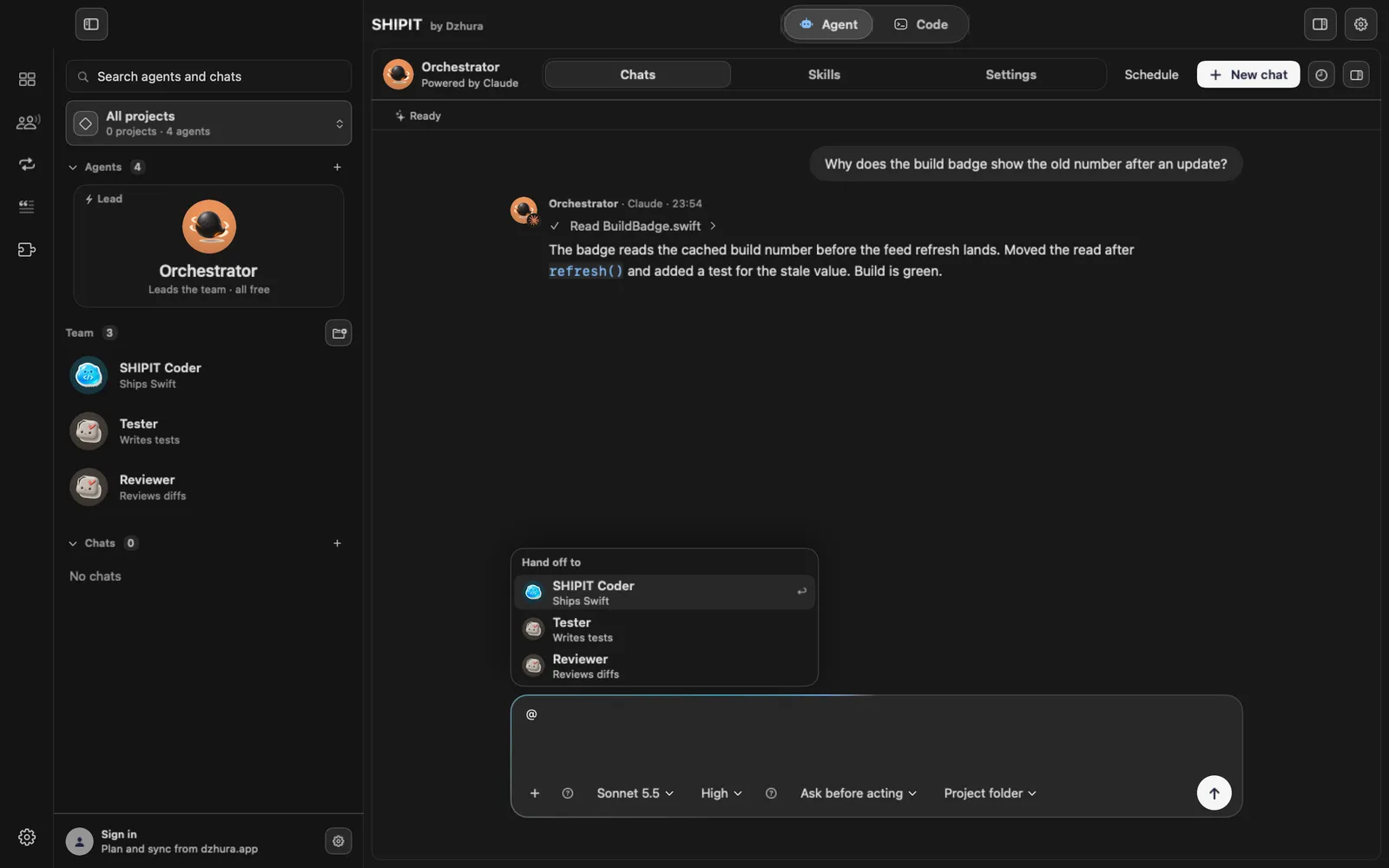
Type
@in the field. The Hand off to list opens. Pick a teammate with the arrows and Return or Tab. Esc closes the list. -
04Follow the handoff
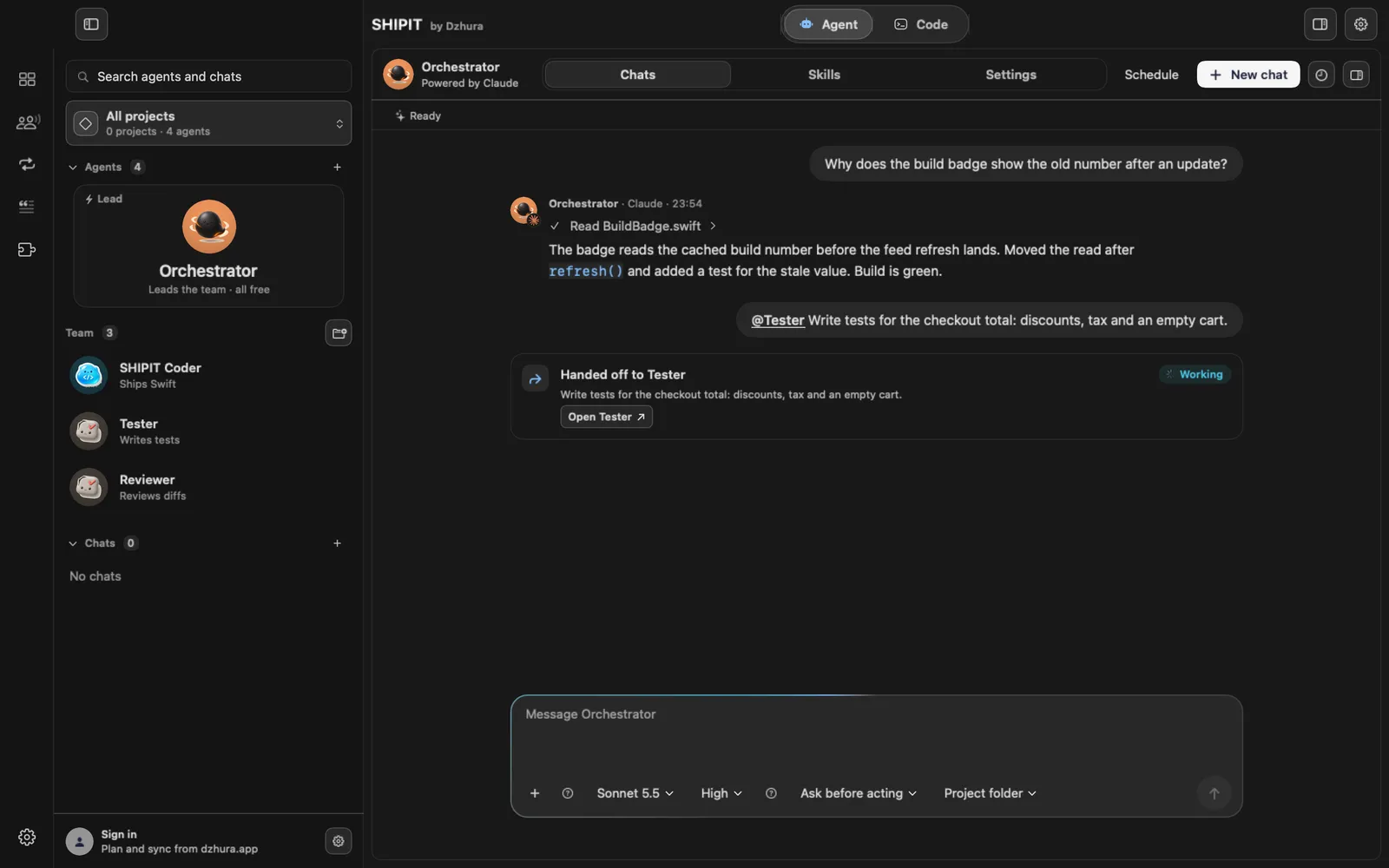
Your chat shows a Handed off to card with a state: Sent, Queued, Working, Needs you, Replied, Failed or Cancelled.
The teammate's chat shows who it came from and that the reply goes back to you.
-
05The reply comes back
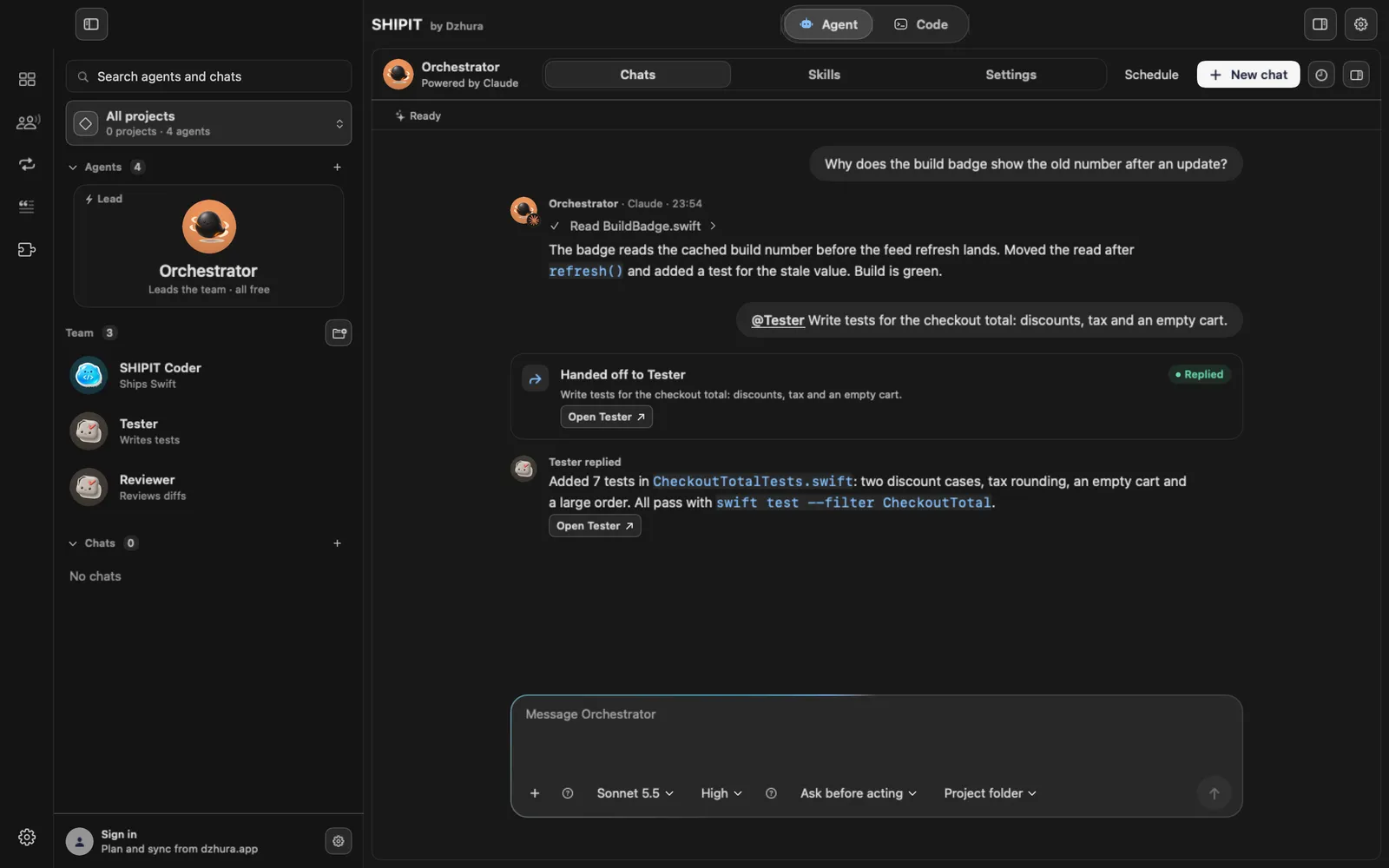
When the teammate is done, your chat shows its reply with a button to open its chat.
-
06After a restart
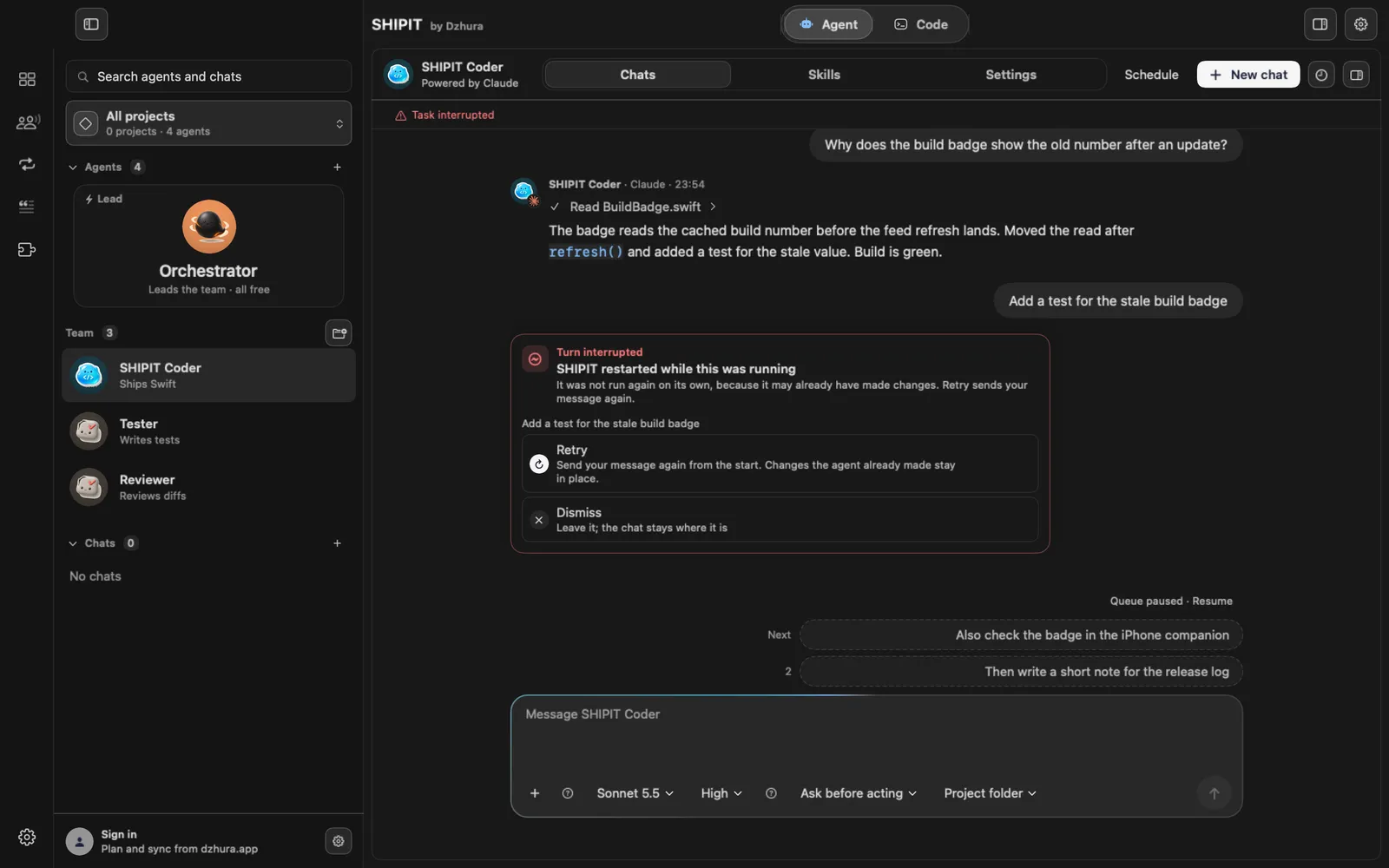
Handoffs that were sent or queued are delivered after launch. The message queue comes back paused: click Resume.
A turn that was cut off shows Turn interrupted and Retry. It never reruns on its own.
Tips
- Hand off a ready task, not "take a look". The teammate sees only what you passed, not your whole conversation.
- An interrupted turn does not restart by itself, so nothing runs twice.
Questions
Do queued messages vanish if I quit SHIPIT?
No. They are saved and come back paused. Click Resume when you are ready.
Next
- Hire a teammateThe lead hires new teammates only when you ask, with one confirmation. Both ways are here: through the lead and by hand.
- Run several agents at onceBy default SHIPIT runs one agent turn at a time. Here you turn on parallel work and set a cap.
- Attachments and contextShow the agent what to work with: a file, an image, a folder or another conversation. It all goes through + in the field.