A Telegram bot in SHIPIT: where to start
SHIPIT turns your answers into a task for the bot and opens a project where an agent writes the code. The token, testing and where the bot lives are covered in detail by the Telegram guides.
-
01Pick Telegram bot on Start
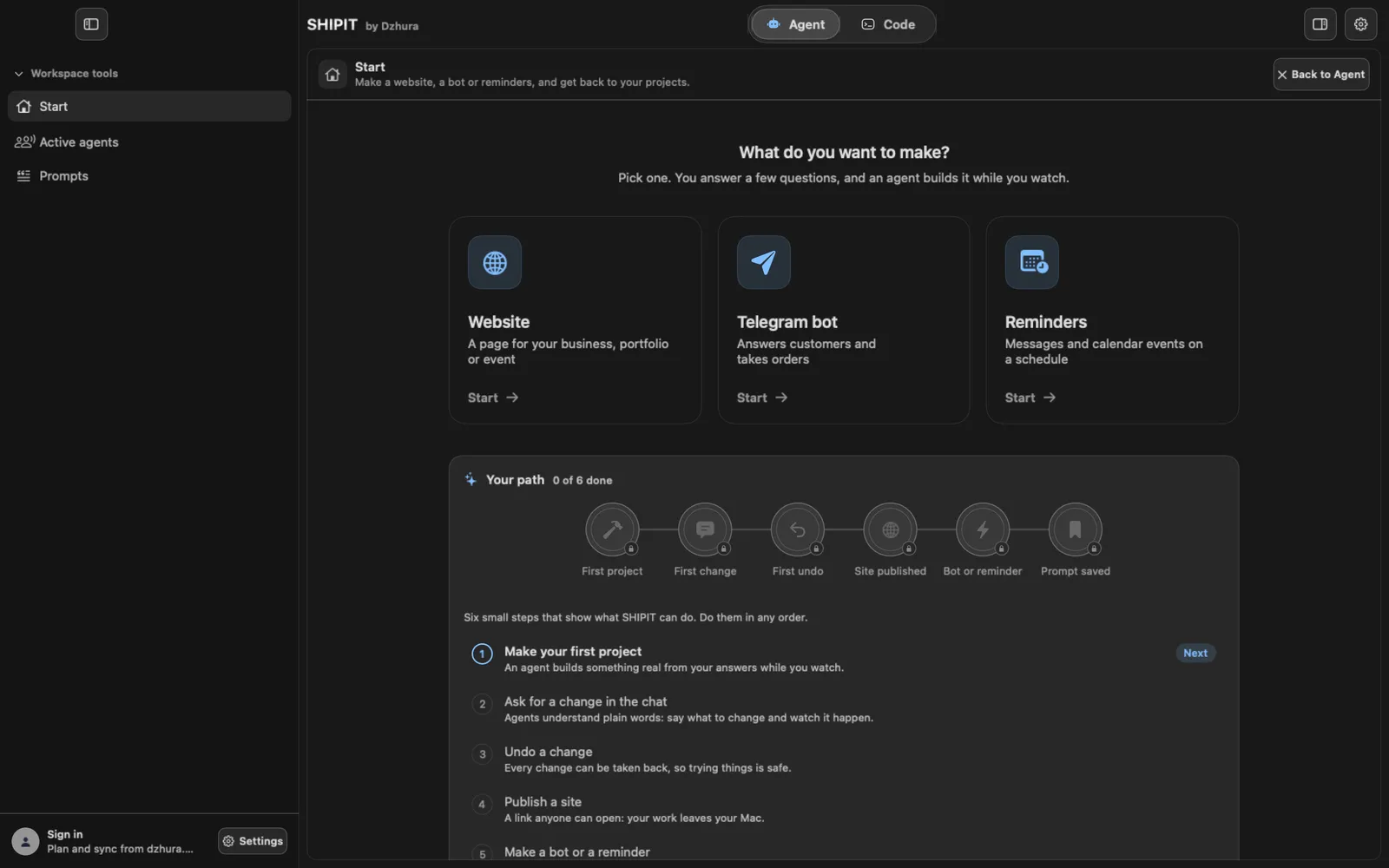
Open Start and click the Telegram bot card: Answers customers and takes orders. The builder opens under Prompts › Make, already on the bot.
-
02Or right after setup
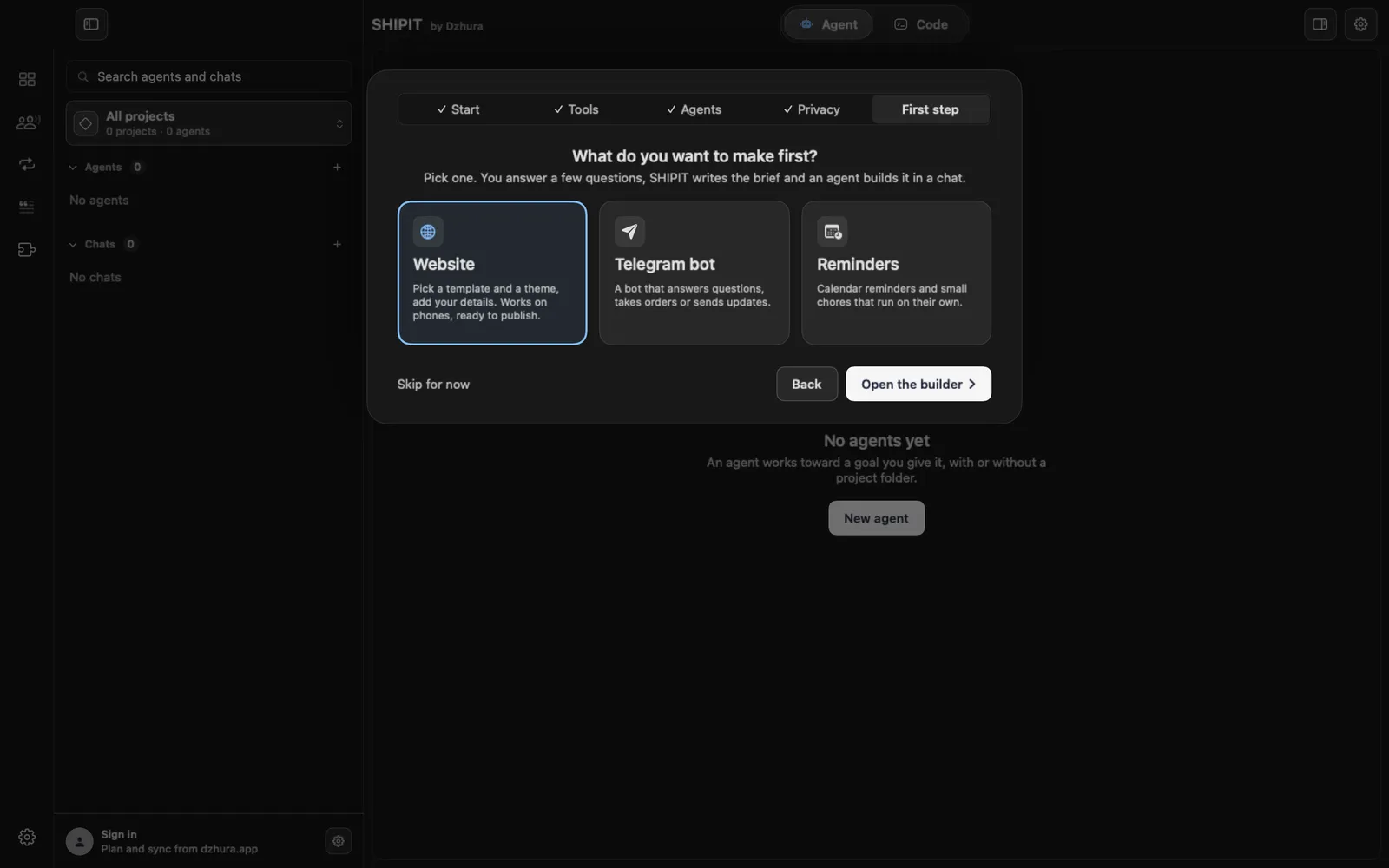
A Beginner sees this choice on the last step of the first-run setup, First step. Pick Telegram bot and press Open the builder.
Skip for now loses nothing: the card on Start stays.
-
03Describe the bot in the builder
What should the bot do?: answer questions, take orders, book clients, a quiz, reminders or something else. Then About the bot, Which buttons? (the /start command is always there) and Bot language.
Where should data go?: Nowhere, To a file or To Google Sheets. Who gets notified?: Nobody, Me on Telegram or A work group.
-
04Build it in SHIPIT
Press Build it in SHIPIT. SHIPIT makes a folder
~/SHIPIT/name, puts the task intoBRIEF.mdthere and opens the project in the Code tab: the agent in the chat already has the task and starts writing code.There is no preview next to it, as a site has. You test a bot in Telegram itself.
-
05Token and testing: on to the Telegram guides
The task tells the agent to stop when it reaches the token and walk you through getting one from @BotFather. The token lives only in a
.envfile, never in the code. Then the agent runs the bot on your Mac and checks /start and every button.In detail, with the token explained: Your first bot: from an idea to /start. Why a bot goes silent and where it should live: Where the bot lives.
Tips
- Which bots exist and what you can really do yourself: dzhura.app/en/telegram/bots.
- Keep the token out of screenshots. If it ever becomes known, generate a new one in @BotFather.
- Back to the bot later: Start › My projects › Open.
Questions
Where does the token go?
Only into a .env file in the project folder. The agent's task asks for exactly that and for .env in .gitignore, so the token never lands in the code. The Your first bot guide explains it in detail.
Who writes the code, Claude Code or Codex?
Whichever is on your Mac. If both are, the builder shows a Who builds it choice before Build it in SHIPIT.
Next
- A website in SHIPIT: from questions to publishingYou answer a few simple questions, an agent builds the site while you watch, and SHIPIT shows it next to the chat. At the end you can put the site online for free.
- Reminders and automations in SHIPITA morning summary, birthday greetings, a message before a calendar event. You describe when and what, and the agent picks the simplest way that needs no server of your own.
- Your first task for an agentYou will create an agent, give it a folder and send its first task. It takes a few minutes.