Routines: an agent on a schedule
A routine is a message to an agent that SHIPIT sends by itself on a schedule. A code review every morning or a report every Monday, with no reminders.
-
01Open Routines
Routines is in the sidebar on the Intermediate and Pro levels. In the narrow column on the left it is the icon with a loop of arrows.
-
02Create a routine
The New routine button in the section opens the form. Schedule in any agent's header does the same, with that agent already picked.
A routine needs an agent: create at least one in the Agent tab first.
-
03Agent, name, instruction
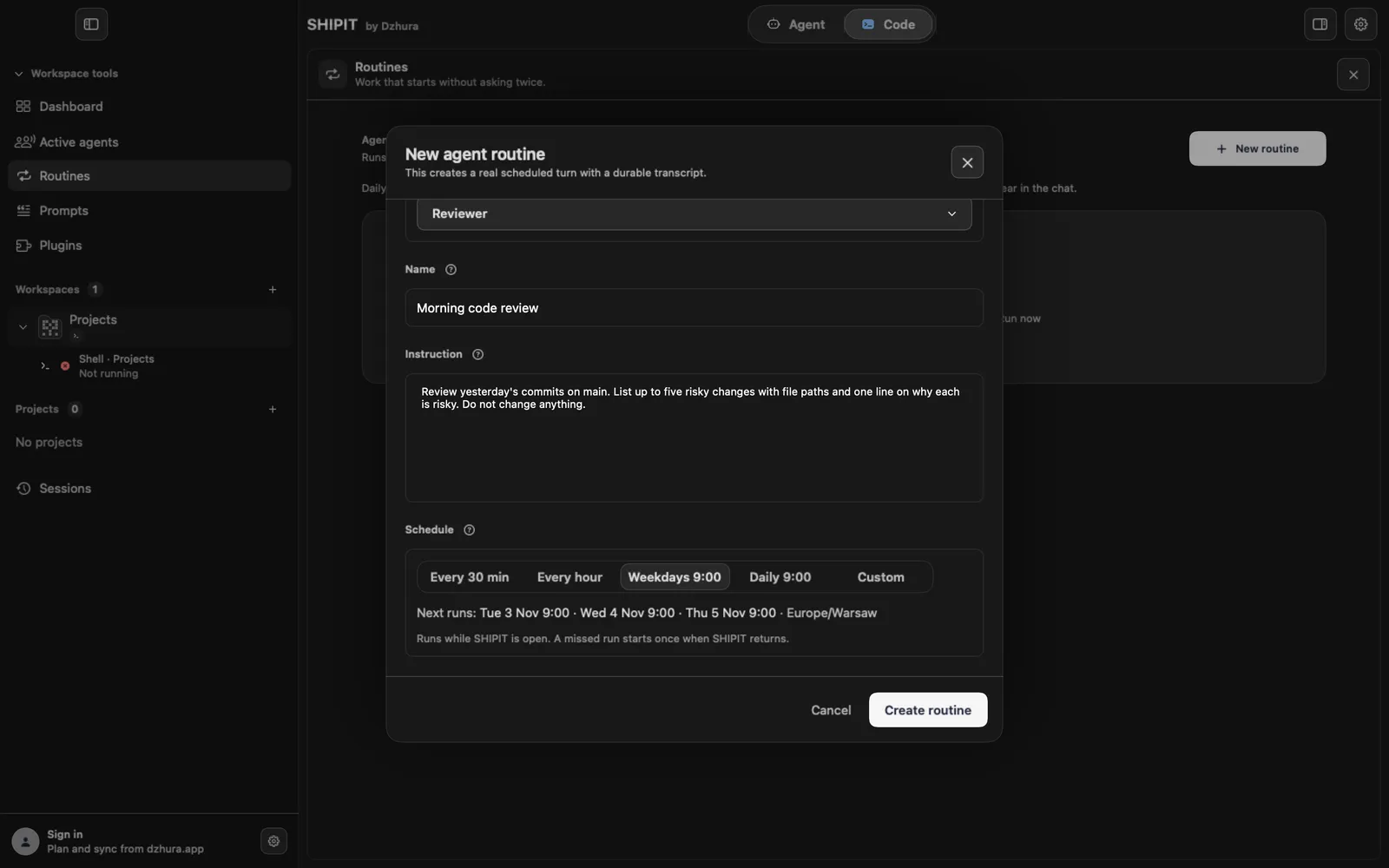
Agent: who does the work. Name: so you recognise it in the list; it is not sent to the agent. Instruction: what to do each time. Write it as if you were sending the task yourself.
The routine runs in the same chat, with the same tools and approvals as a normal message to that agent.
-
04Set the schedule
Under Schedule pick a preset: Every 30 min, Every hour, Weekdays 9:00, Daily 9:00, or Custom with your own days and time. The Next runs line shows the coming runs. Then Create routine.
TipRoutines run only while SHIPIT is open. A missed run starts once when SHIPIT is back.
-
05Run now or pause
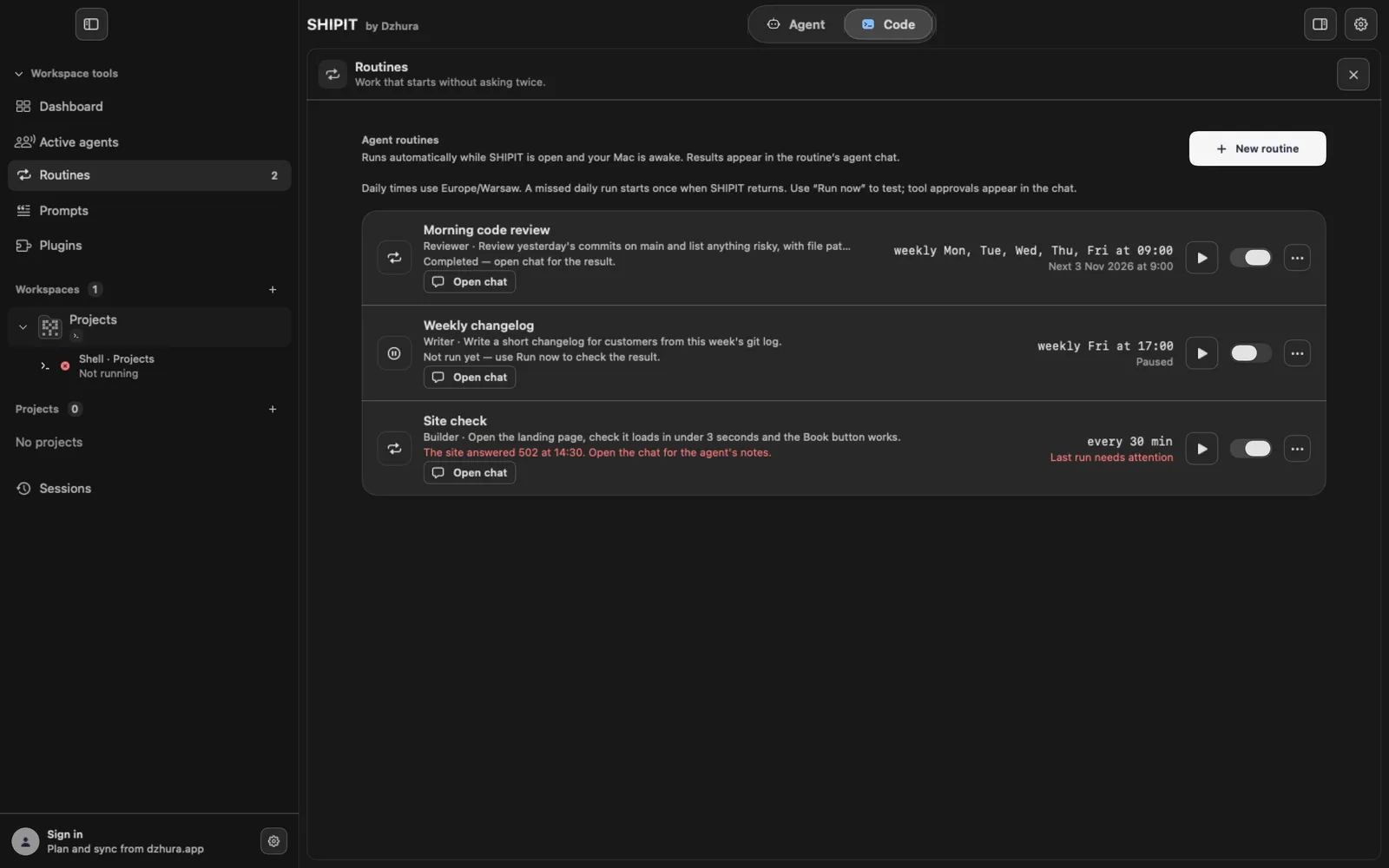
A routine's row shows the schedule and the state: the next run time, Paused, or Last run needs attention when the last run failed.
Run now starts it at once and opens the result chat. The switch on the right pauses and resumes it.
-
06Where the result is
Every run writes into a normal conversation with the agent. Open chat in the routine's row opens it in the Agent tab.
A deleted routine stops running, and its past chats stay in the Agent tab.
Tips
- Start with one routine a day and look at the first results before you set one every 30 minutes.
- An instruction works better when it says where to put the result.
Questions
Does a routine run when SHIPIT is closed?
No. It runs while SHIPIT is open. A missed run starts once when you come back.
Will the agent ask for approval during a routine?
Just as with a normal message: the routine has the same approvals as the agent.
Next
- The Agent tab at a glanceIn three minutes you will know how the Agent tab is laid out: who is on the team, where the chats are and where to type a task.
- Approvals and Ask before actingYou decide what an agent does on its own and what waits for your yes. Here is where to set it.
- Notifications: when SHIPIT calls youSHIPIT calls you when an agent is done, waits for your answer or something fails. Tabs you have not opened for a while stay quiet so they do not get in the way.