Privacy and access: what SHIPIT sees and what agents may do
Your work stays yours. Here is what SHIPIT sends, how to set the rules for agents and why macOS asks about folder access.
-
01What stays on your Mac
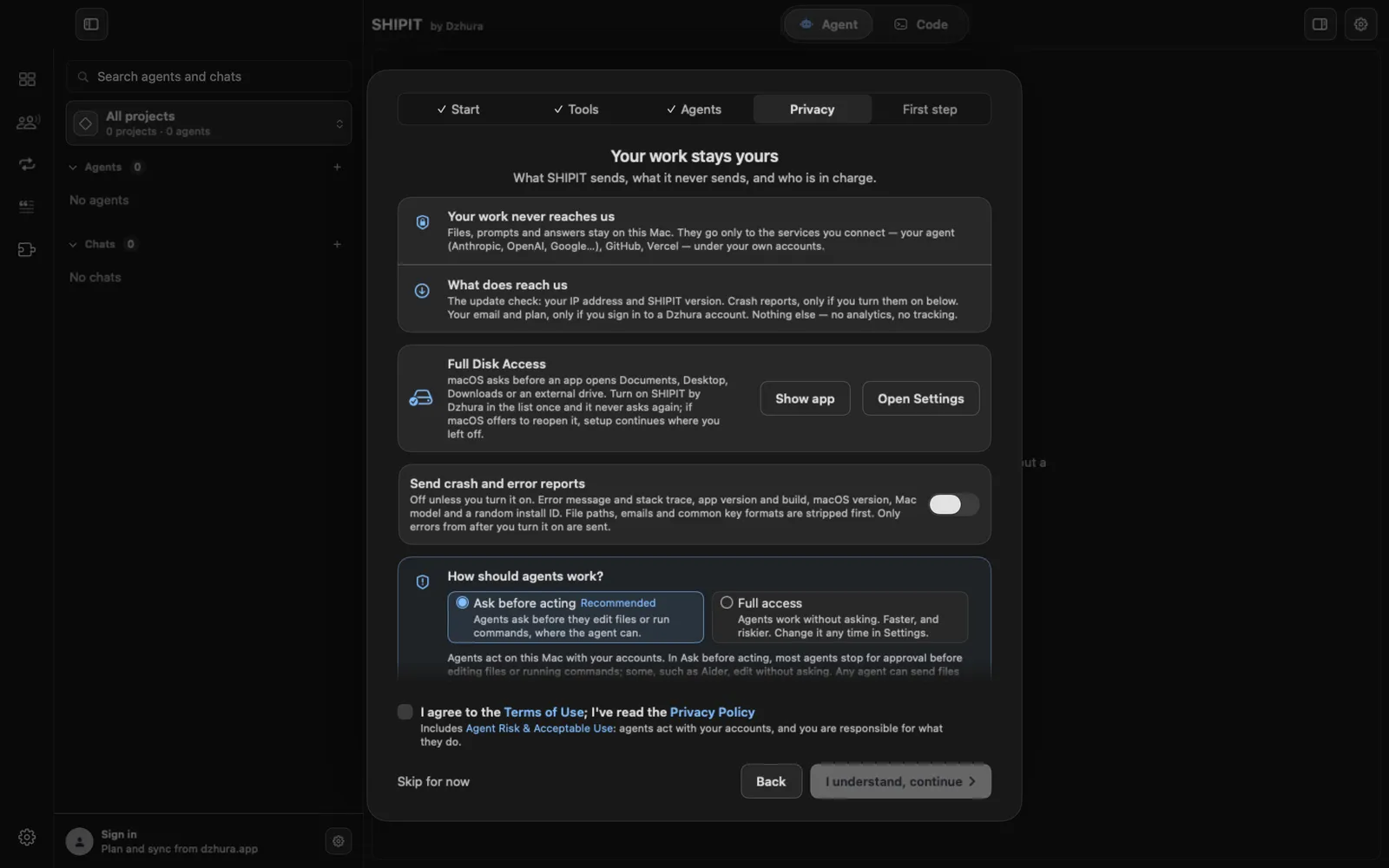
Files, prompts and answers stay on this Mac. They go only to the services you connect: your agent (Anthropic, OpenAI, Google), GitHub, Vercel, under your own accounts.
What reaches Dzhura: the update check (your IP address and SHIPIT version), crash reports only if you turn them on, and your email and plan only if you sign in to a Dzhura account. No analytics, no tracking.
-
02How agents work
During setup SHIPIT asks How should agents work? The default is Ask before acting, marked Recommended: agents ask before they edit files or run commands, where the agent can.
Full access: agents work without asking, faster and riskier. Before it turns on, SHIPIT asks you to confirm.
TipFor a Beginner, Ask before acting is the better choice.
-
03Change it later
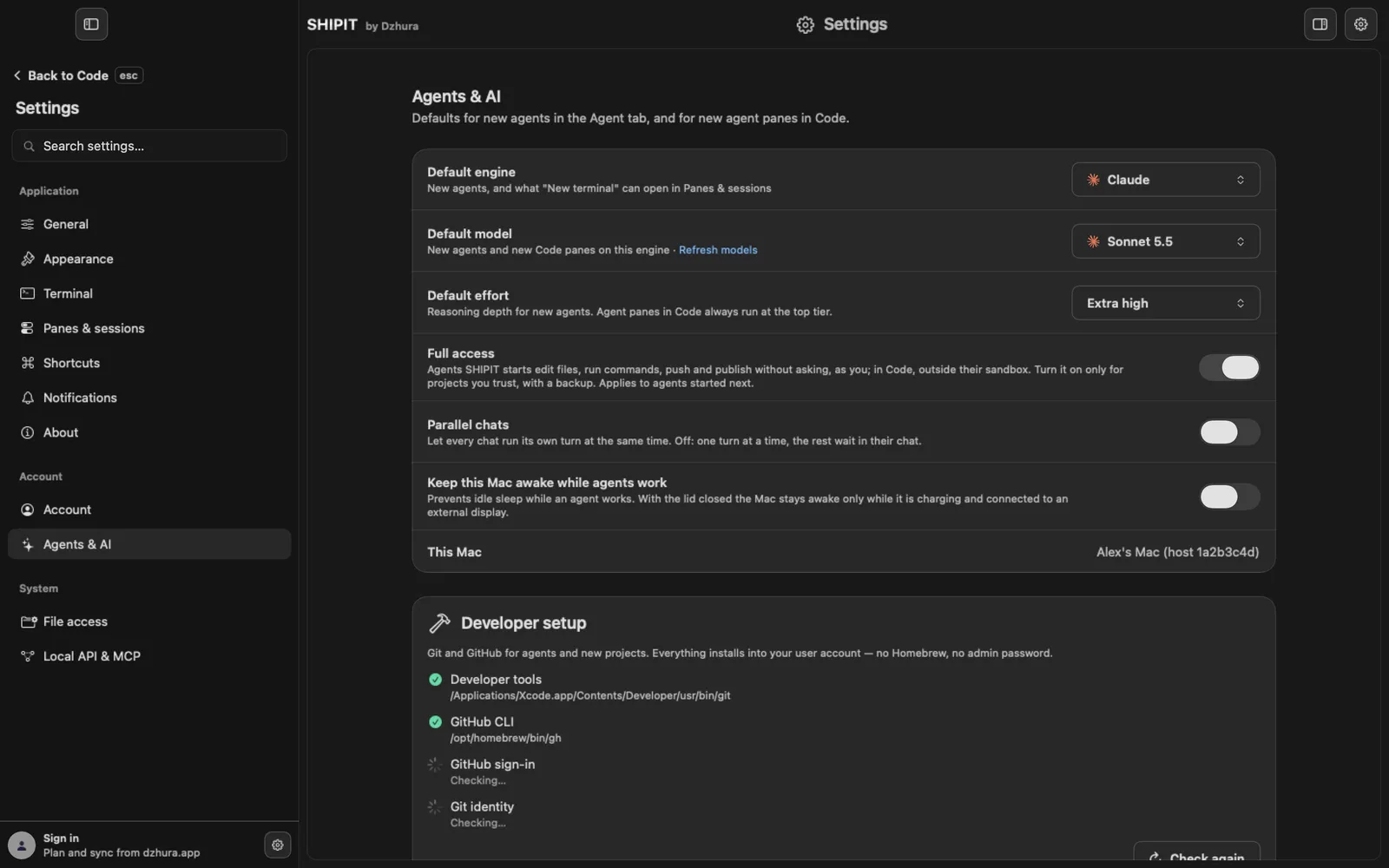
The Full access switch lives in
Settings › Agents & AI. Turn it on only for projects you trust, with a backup. It applies to agents started after the change. -
04Crash reports
Send crash and error reports is off unless you turn it on. A report holds the error message and stack trace, app version and build, macOS version, Mac model and a random install ID.
File paths, emails and common key formats are stripped first. Only errors from after you turn it on are sent.
-
05Full Disk Access
macOS asks before an app opens Documents, Desktop, Downloads or an external drive. To stop it asking about each folder, turn on SHIPIT in the Full Disk Access list once.
Setup has two buttons for this: Show app and Open Settings. Later the same lives in
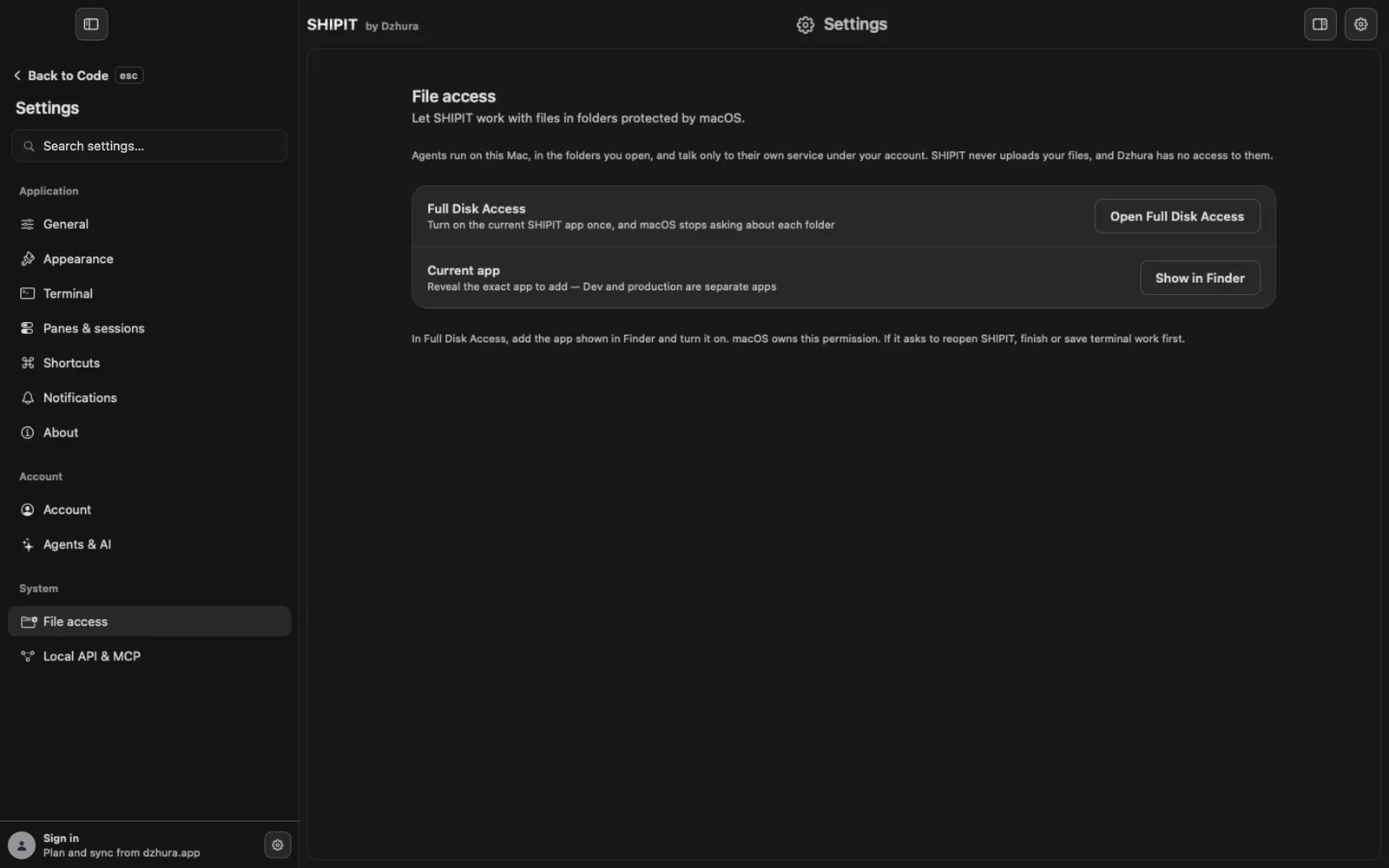
Settings › File access: Open Full Disk Access. -
06Add the right app
Show in Finder reveals the exact app to add. In the Full Disk Access list, add it and turn it on. macOS owns this permission.
If macOS asks to reopen SHIPIT, finish or save your terminal work first. If this happens during setup, it continues where you left off.
Tips
- Full access for agents and Full Disk Access in macOS are different things: the first is about agents asking, the second about folders.
- Agents run through your own accounts, so whatever you write to an agent goes to that agent's company.
Questions
Does Dzhura see my files?
No. SHIPIT never uploads your files, and Dzhura has no access to them.
Can I work without Full Disk Access?
Yes. macOS then asks for permission separately when an agent first opens a protected folder.